Direct Search Hub
🔍 Quick Coverage Finder (Taiwan & Major Destinations)
🇹🇼 Supported Regions & Top Cities across Taiwan
Taiwan (台灣) Taipei (台北) New Taipei City (新北) Taoyuan / Taoyuan Airport (桃園 / 桃園機場) Taichung (台中) Tainan (台南) Kaohsiung (高雄) Hsinchu (新竹) Hualien (花蓮) Taitung (台東) Yilan (宜蘭) Chiayi / Alishan (嘉義 / 阿里山) Nantou / Sun Moon Lake (南投 / 日月潭) Kenting / Pingtung (墾丁 / 屏東) Penghu (澎湖) Kinmen (金門) Matsu (馬祖)
🆔 Real-Name Verification (KYC) Requirement for Taiwan
*Please note: In accordance with local statutory regulations, please visit the real-name verification website and complete the required information. Once your verification is approved, your plan will be ready to be activated.
*請注意:請前往實名認證網站,填寫必要資訊並完成認證後,即可啟用該方案。
🌐 KYC Website (實名認證網址): https://kyc.esim.exchange
Compatibility Guide
📱 Check if Your Phone Supports eSIM
⚡
Fast Dial Code (Universal)
Open your phone app and dial *#06#. If an "EID" barcode or 32-digit number appears, your device hardware supports eSIM!
🍏
Apple iPhone Verification
Go to
Settings → Cellular. If you see the option "Add eSIM" or "Add Cellular Plan", your iPhone is eSIM ready.
🤖
Samsung & Android Verification
Go to
Settings → Connections → SIM Manager. Look for "Add eSIM" or a [+] button to download a profile.⚠️ Important Device Notice: Your phone must be carrier-unlocked (SIM-lock free). (Note: Dual-physical SIM iPhones manufactured for Mainland China, Hong Kong, and Macau do not support eSIM).
Easy Setup Process
How to Order, Complete KYC & Activate Your Taiwan eSIM
1
Select Travel Plan Duration
Choose the number of travel days needed for your trip to Taiwan and complete your order online.
2
Receive Your Email Voucher within 12 Hours
Check your inbox for our confirmation email containing your unique Redemption Code (Valid for 18 months from purchase).
3
Complete KYC & Scan QR Profile (On Departure Day)
Visit https://kyc.esim.exchange to submit real-name details. Then visit the redemption exchange portal, generate your QR profile, and install it on stable Wi-Fi.
4
Connect in Taiwan & Enable Roaming
Upon landing in Taiwan, set this eSIM as your Mobile Data line, turn on Data Roaming, and enjoy instant 5G/4G on Chunghwa Telecom!
🌐 Redemption Portal: https://esimexchange.com/
(Enter your email voucher code to retrieve your Taiwan QR profile)
Carrier Directory
Carrier Specs by Destination (Taiwan)
📋 Click to View Complete Network Breakdown for Taiwan (5G / 4G)
| Country / Territory | Operator(s) | Speed |
|---|---|---|
| 1. Taiwan (台灣) | Chunghwa Telecom (中華電信) | 5G/4G |
Got Questions?
Frequently Asked Questions
How do date duration and daily data resets work?
• Date reset: 00:00 Taiwan Time (UTC+8) / 日期重置:00:00 台灣時間 (UTC+8)。
• Data reset: 00:00 Taiwan Time (UTC+8) / 流量重置:00:00 台灣時間 (UTC+8)。
How do I complete the Real-Name Verification (KYC)?
Visit the official verification portal at https://kyc.esim.exchange and input the required information. Once approved, your eSIM will be authorized for immediate network connection upon arrival in Taiwan.
Can I use personal hotspot and tethering in Taiwan?
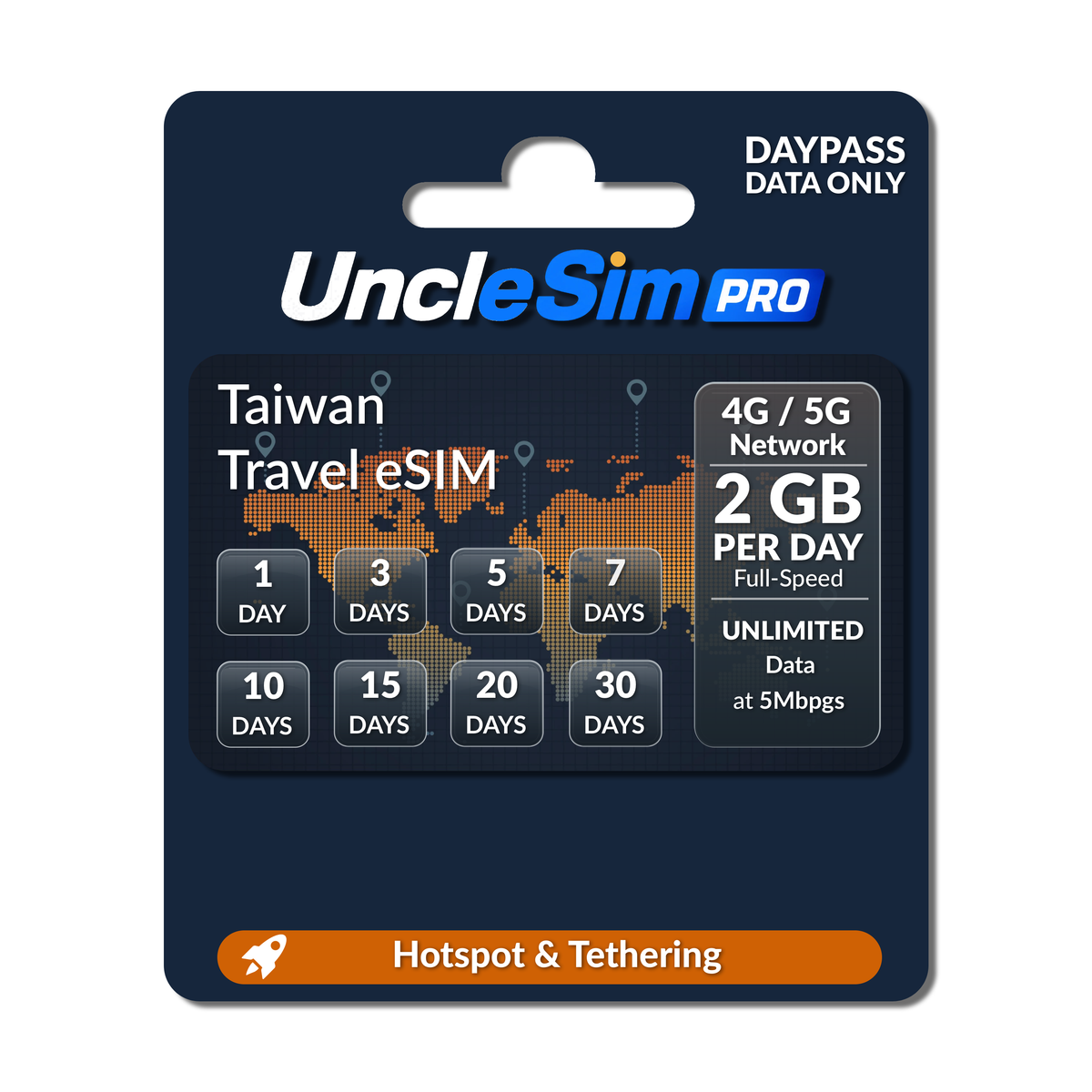
Yes, personal mobile hotspot and data sharing are fully supported across all covered regions in Taiwan.
⚠️ Important Precautions for Your Taiwan eSIM
18-Month Code Validity: The digital redemption code received in your email is valid for 18 months from issuance date.
180-Day Activation Window: Once redeemed into a QR profile, it must be activated in Taiwan within 180 days (expires automatically thereafter).
Date Reset (日期重置): 00:00 Taiwan Time / UTC+8 (00:00 台灣時間 UTC+8).
Data Reset (流量重置): 00:00 Taiwan Time / UTC+8 (00:00 台灣時間 UTC+8). Daily data quotas refresh at 00:00 UTC+8.
Single Phone Lock: Each QR code binds permanently to one device only. Once scanned and bound, it cannot be transferred, replaced, or refunded.
Quick Device Installation
iOS & Android Configuration Guide
🍏 Apple iPhone Setup
iOS Guide
🛫 Phase 1: Before You Fly (At Home / Wi-Fi)
1. Complete KYC: Visit
https://kyc.esim.exchange and submit real-name verification info.
2. Scan QR: Go to
Settings → Cellular → tap Add eSIM (or Add Cellular Plan) → scan your QR code.
3. Label Lines: Keep your primary SIM labeled as [Primary]. Label this travel eSIM as [Secondary] (or Taiwan Travel).
4. Line Settings: Set Default Line & iMessage / FaceTime to [Primary] (to continue receiving bank OTP SMS).
⚠️ Keep the [Secondary] eSIM line turned OFF before departure to prevent premature activation.
🛬 Phase 2: After Landing in Taiwan
1. Enable Travel Line: Turn ON your [Secondary] eSIM line.
2. Switch Data: Set Cellular Data to [Secondary].
3. Roaming On: Inside the [Secondary] settings, toggle Data Roaming to ON.
✓ Keep "Allow Cellular Data Switching" turned OFF.
🤖 Android Setup
Samsung / Pixel / Unlocked
🛫 Phase 1: Before You Fly (At Home / Wi-Fi)
1. Complete KYC: Visit
https://kyc.esim.exchange and submit real-name verification info.
2. Download Profile: Go to
Settings → Connections → SIM Manager → tap [+] Add eSIM → scan QR.⚠️ Keep the new eSIM turned OFF before departure to avoid premature activation.
🛬 Phase 2: After Landing in Taiwan
1. Activate eSIM: Turn ON the Taiwan travel eSIM profile.
2. Set Primary Mobile Data: Set the travel eSIM as your preferred Mobile Data SIM.
3. Enable Roaming: Enable Data Roaming in Mobile Network settings.
4. Retain Home Line: Keep your home physical SIM active for SMS/OTPs without mobile data.